
Sagar Marketing
Payment Collection App
📲 Payment Collection App – User Guide
The Payment Collection App is designed to streamline and digitize the process of collecting payments from customers in the field. It supports multiple payment modes including Cash, Cheque, Online Transfers, and Google Pay, with all data syncing in real-time to the central system.
Field agents can record each transaction instantly, while office staff can monitor, analyze, and generate printable reports with a single click.
🧩 App Structure
The application consists of three main components:
-
1. Mobile App
Used by field collection agents to record transactions on-the-go during customer visits. It is lightweight, fast, and requires minimal learning.
-
2. Desktop Dashboard
Designed for office staff, this web-based dashboard provides real-time visibility of collections. Users can generate reports, view summaries, track cheque statuses, and print/export data.
-
3. Admin Panel
Accessible by administrators only, this control panel allows:
User management
Agent (Rep) management
Route assignment
Password resets and role configuration
👤 Who Uses This App
Field Collection Staff
Office Staff responsible for monitoring field collections
Admins for system control and maintenance
🚀 How to Use the App
📱 For Collection Agents (Mobile)
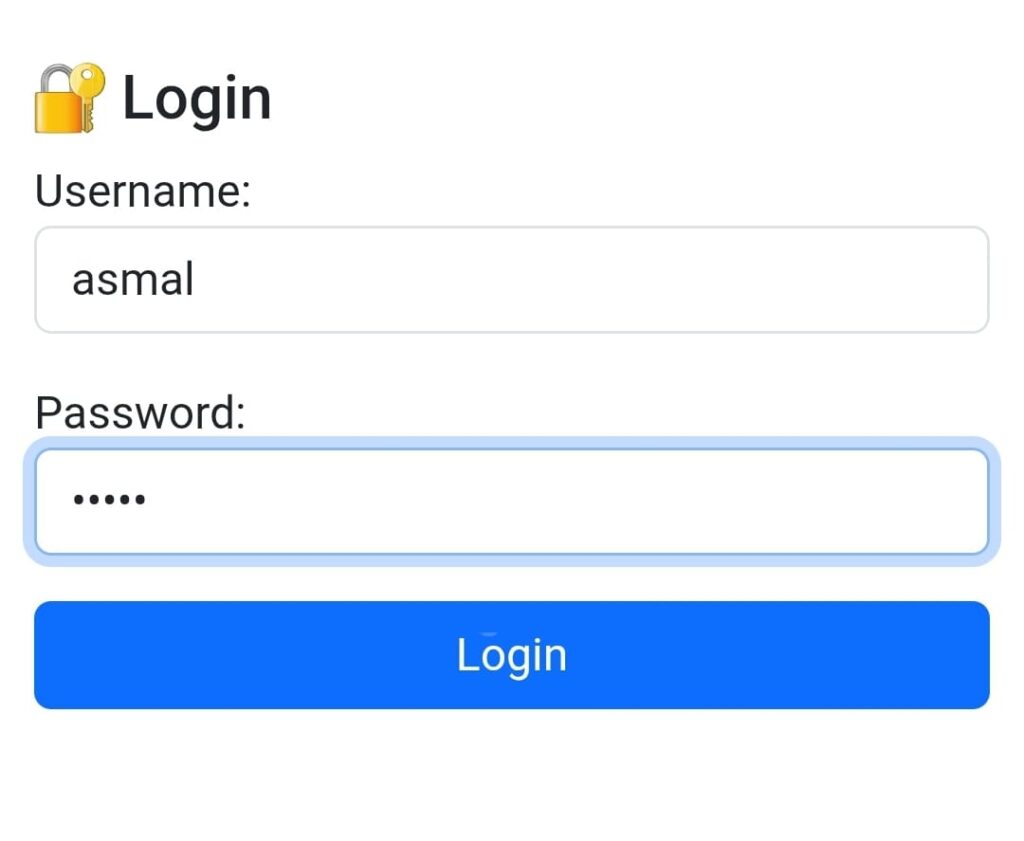
1. Login
Use the provided username and password. Upon login:
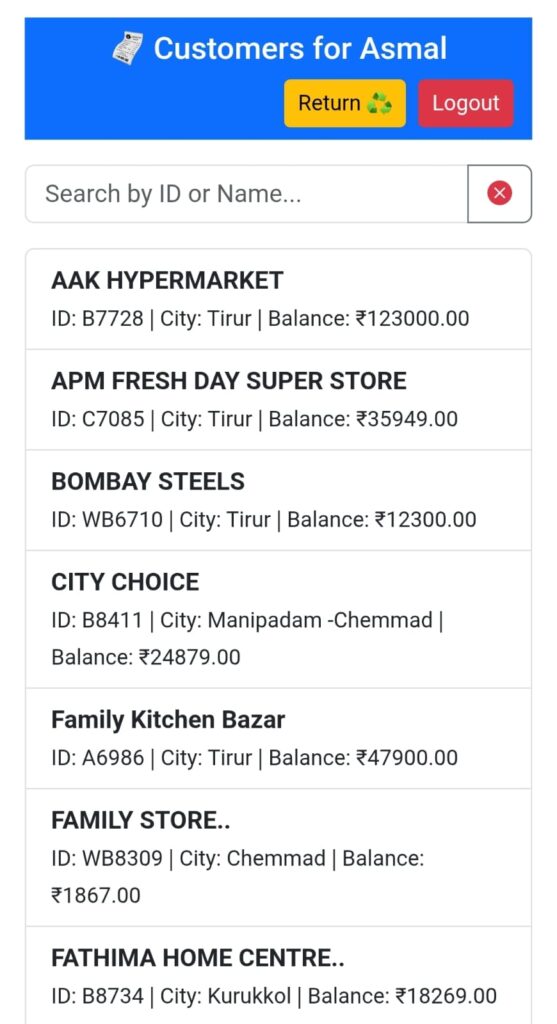
A customer list appears based on the agent’s assigned route.
Each entry shows: Customer Name, Code, Location, Balance, etc.
Use the search bar to find customers quickly by name or code
2. Submit a Payment
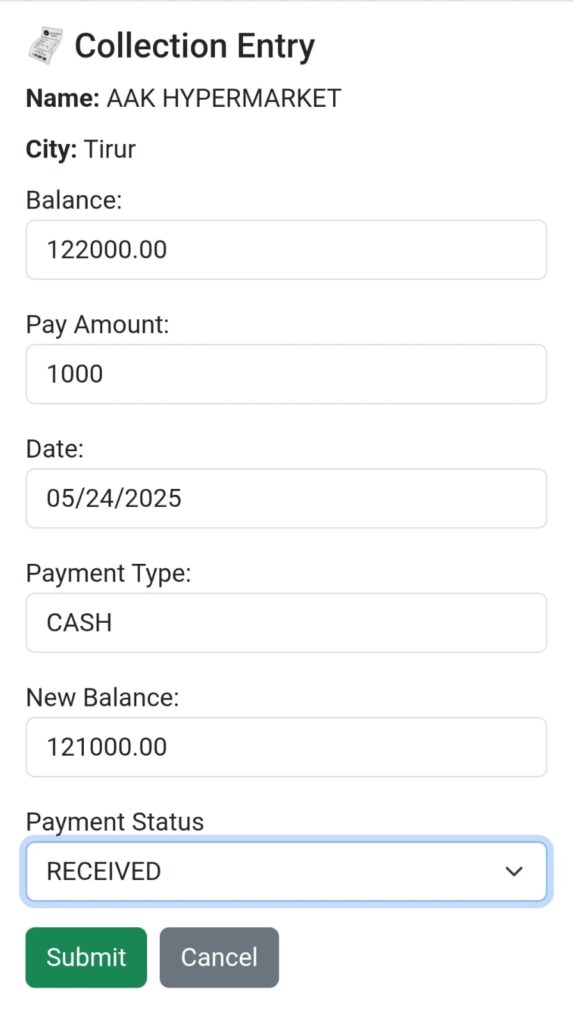
Tap a customer’s name to open the collection form.
Pre-filled details include: Customer Info, Location, Route, and Date.
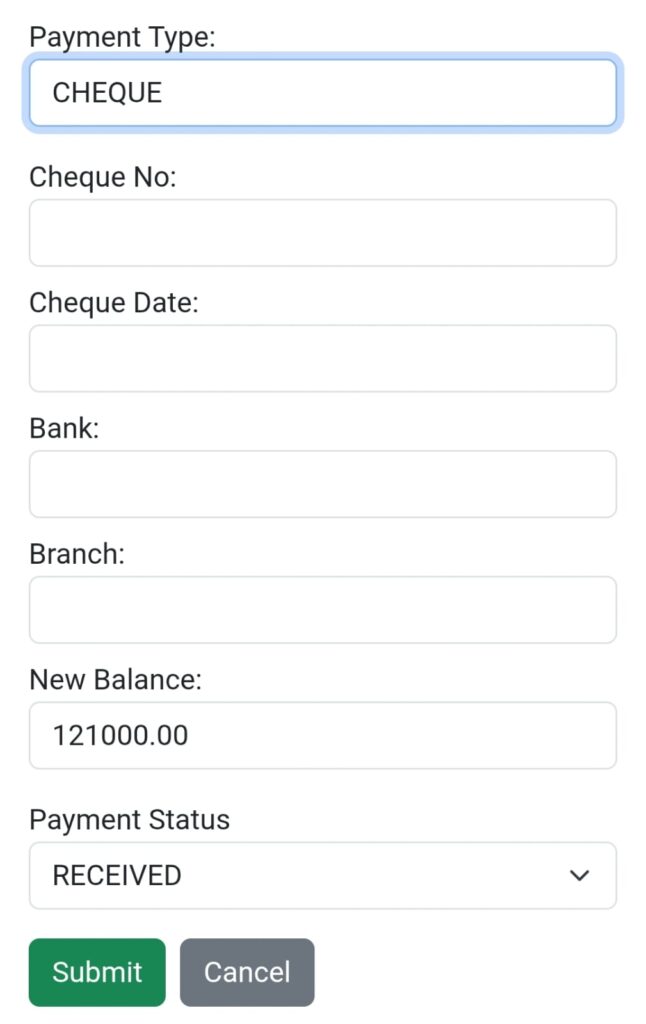
Enter the Pay Amount and select the Payment Type:
Cash, NFT, or GPAY → just submit.
Cheque → additional fields appear:
Cheque Number
Cheque Date
Bank
Branch
Click Submit to complete the transaction.
3. View Related Records
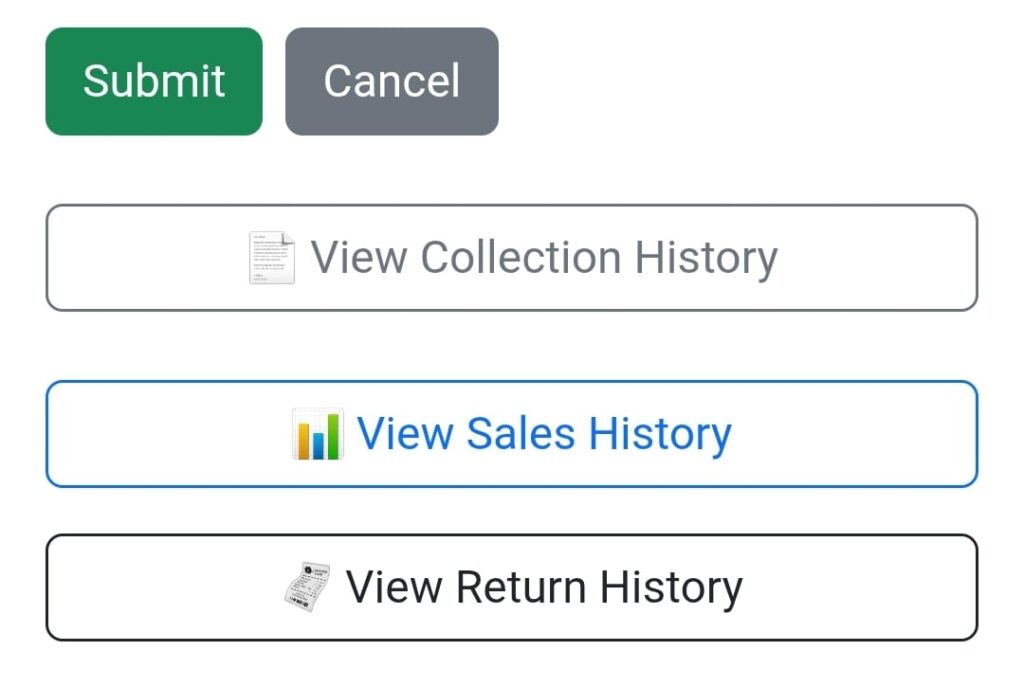
At the bottom of the collection form, you’ll find:
Collection History
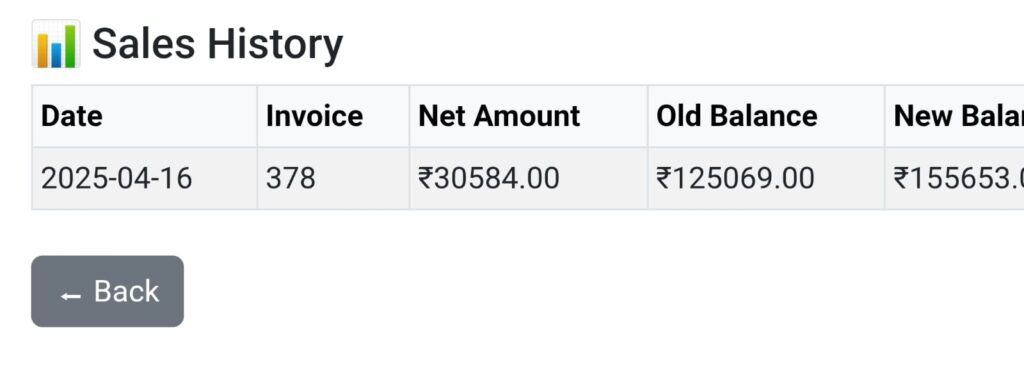
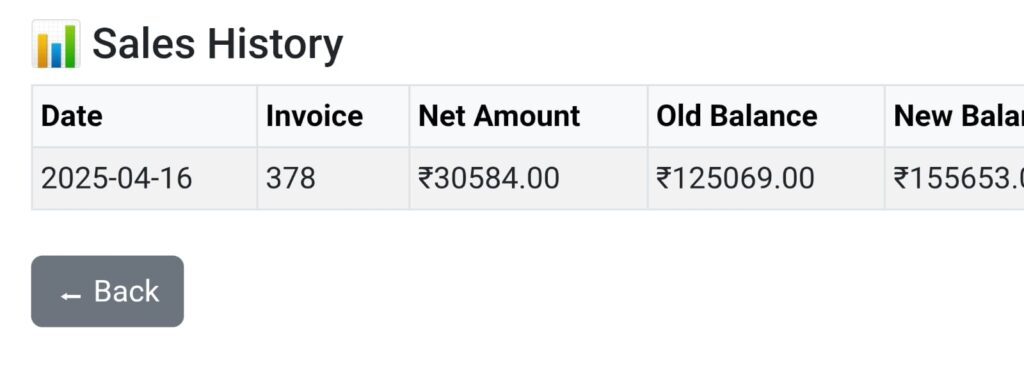
Sales History
Return History
These sections display the customer’s transaction history in the respective categories.
The mobile app is designed to be user-friendly and requires no training.
💻 For Office Staff (Web Dashboard)
Log in to the Collection Dashboard at
🔗 https://sagarmarketing.in/collections
Key Dashboard Features:
Total Collected Amount
Collection breakdown by:
Cash
Cheque
NFT
GPAY
Total Received vs Pending
Cheques Due Today
Last 7 Days Summary
Route-wise and Rep-wise collection tables
Last 30 Days Cheque Summary
Navigation & Tools:
Upload Customers
Upload new customer data. This must be done first — all further transactions will auto-update customer balances.Upload Sales
Keep sales records up to date. Uploading new sales updates customer balances accordingly.
📄 Reports
Office staff can generate detailed reports for any rep or route, over any date range.
Just select a start date, end date, and agent or route
Instantly get a print-ready report
Options available:
Print
Download as PDF
Refer to the visual guide below for more details on report format
📊 Other Sections in the Dashboard
Collection Transactions – View and filter all collection records
Customer List – All registered customers with search/filter
Sales List – Sales records upload and view
Sales Transactions – History of customer-wise transactions and balances
Admin Dashboard
📌 Notes & Requirements
📶 Internet Connection Required
The app is web-based and requires a live connection to sync and fetch data.🔐 Login Required
Only registered users with valid credentials can access the app. Admins assign roles and grant access.❗ Login Issues?
Contact the admin or support if you face trouble logging in.
📞 Need Help?
Contact: support@sagarmarketing.in
or reach admin via internal WhatsApp group